Plan Creation
How to follow this chapter
Inputs: userId and CLIENT token, questionnaire response IDs, selected proposal and client data.
Steps and expected result: Save the questionnaire and missing details before submitting the PDF contract. Keep orderId and portfolioId; successful submission records an order, but does not mean the portfolio is already invested.
Alternative or later actions: Preparing a contract is required by this recipe; the separate PDF-generation service is optional. You may generate the contract in your own solution.
DTO source: AccountHoldingInstitutionOutputModel, CivilStatusOutputModel, CountryOutputModel, GenderOutputModel, LanguageOutputModel, NationalityOutputModel, PensionSituationOutputModel, PortfolioOrderOutputModel, TaxLiabilityOutputModel
Variables assigned in an earlier block are reused by later blocks. Client-entered values come from your UI; keep identifiers and lookup results in the current client context. Do not create a fresh context between steps.
Saving the client's risk profile
Action: Save the questionnaire responses.
Keep / expected result: Continue after a successful response; keep the same client and proposal context.
httpClient.DefaultRequestHeaders.Authorization = new AuthenticationHeaderValue("Bearer", accessToken);
var payload = JsonConvert.SerializeObject(new
{
    BusinessLineId = businessLineVorsorge.Id,
    UserId = userId,
    Responses = responseIds.Select(id => new { ResponseId = id }).ToArray()
});
(await httpClient.PostAsync("api/v1/user-risk-categorizations", new StringContent(payload, Encoding.UTF8, "application/json"))).EnsureSuccessStatusCode();
JsonObject payload = new JsonObject();
payload.addProperty("BusinessLineId", businessLineId);
payload.addProperty("UserId", userId);
payload.add("Responses", new Gson().toJsonTree(responseIds.stream().map(id -> Map.of("ResponseId", id)).toList()));
HttpRequest request = HttpRequest.newBuilder()
    .uri(Settings.wmsUri("user-risk-categorizations"))
    .timeout(Duration.ofMinutes(1))
    .header("Authorization", "Bearer " + accessToken)
    .header("Content-Type", "application/json")
    .POST(HttpRequest.BodyPublishers.ofString(payload.toString())).build();
var response = httpClient.send(request, BodyHandlers.ofString());
Api.requireSuccess(response);
Saving missing client data
Action: Complete the information required before opening the portfolio.
Keep / expected result: Continue after the update succeeds; preserve userId and the selected proposal.
var nationality = await httpClient.GetFromJsonAsync<NationalityOutputModel>("api/v1/nationalities/code/CH");
var country = await httpClient.GetFromJsonAsync<CountryOutputModel>("api/v1/countries/code/CH");
var pensionSituation = await httpClient.GetFromJsonAsync<PensionSituationOutputModel>("api/v1/pension-situations/code/PENSION-FUND");
var taxLiability = await httpClient.GetFromJsonAsync<TaxLiabilityOutputModel>("api/v1/tax-liabilities/code/CH");
var civilStatus = await httpClient.GetFromJsonAsync<CivilStatusOutputModel>("api/v1/civil-statuses/code/MARRIAGE");
// clientBirthDate and civilStatusDate are collected from the client.
payload = JsonConvert.SerializeObject(new
{
    Name = clientName,
    Surname = clientSurname,
    Email = clientEmail,
    PhoneNumberPrefix = phoneNumberPrefix,
    PhoneNumberNumber = phoneNumberNumber,
    BirthDate = clientBirthDate,
    CivilStatusId = civilStatus.Id,
    CivilStatusDate = civilStatusDate,
    GenderId = gender.Id,
    LanguageId = language.Id,
    Nationality1Id = nationality.Id,
    DeliverTaxStatement = true,
    TaxLiabilityId = taxLiability.Id,
    PensionSituationId = pensionSituation.Id
});
using var clientUpdateContent = new MultipartFormDataContent();
clientUpdateContent.Add(new StringContent(payload, Encoding.UTF8, "application/json"), "jsonPayload");
(await httpClient.PutAsync($"api/v1/users/user-id/{userId}", clientUpdateContent)).EnsureSuccessStatusCode();
payload = JsonConvert.SerializeObject(new
{
    Street = "Neugasse",
    StreetNr = "1",
    City = "Baar",
    CountryId = country.Id,
    Zip = "6340"
});
(await httpClient.PutAsync($"api/v1/users/update-address/user-id/{userId}", new StringContent(payload, Encoding.UTF8, "application/json"))).EnsureSuccessStatusCode();
// Saving missing client data
HttpRequest languageRequest = HttpRequest.newBuilder()
    .timeout(Duration.ofMinutes(1))
    .uri(Settings.wmsUri("languages/code/DE"))
    .header("Accept-Language", "de-DE")
    .header("Authorization", "Bearer " + Settings.GUEST_TOKEN)
    .header("Content-Type", "application/json")
    .build();

response = httpClient.send(languageRequest, BodyHandlers.ofString());
Api.requireSuccess(response);
LanguageOutputModel languageObj = new Gson().fromJson(response.body(), LanguageOutputModel.class);
var languageId = languageObj.Id;

HttpRequest nationalityRequest = HttpRequest.newBuilder()
    .timeout(Duration.ofMinutes(1))
    .uri(Settings.wmsUri("nationalities/code/CH"))
    .header("Accept-Language", "de-DE")
    .header("Authorization", "Bearer " + Settings.GUEST_TOKEN)
    .header("Content-Type", "application/json")
    .build();

response = httpClient.send(nationalityRequest, BodyHandlers.ofString());
Api.requireSuccess(response);
NationalityOutputModel nationalityObj = new Gson().fromJson(response.body(), NationalityOutputModel.class);
var nationalityId = nationalityObj.Id;

HttpRequest countryRequest = HttpRequest.newBuilder()
    .timeout(Duration.ofMinutes(1))
    .uri(Settings.wmsUri("countries/code/CH"))
    .header("Accept-Language", "de-DE")
    .header("Authorization", "Bearer " + Settings.GUEST_TOKEN)
    .header("Content-Type", "application/json")
    .build();

response = httpClient.send(countryRequest, BodyHandlers.ofString());
Api.requireSuccess(response);
CountryOutputModel countryObj = new Gson().fromJson(response.body(), CountryOutputModel.class);
var countryId = countryObj.Id;

HttpRequest pensionRequest = HttpRequest.newBuilder()
    .timeout(Duration.ofMinutes(1))
    .uri(Settings.wmsUri("pension-situations/code/PENSION-FUND"))
    .header("Accept-Language", "de-DE")
    .header("Authorization", "Bearer " + Settings.GUEST_TOKEN)
    .header("Content-Type", "application/json")
    .build();

response = httpClient.send(pensionRequest, BodyHandlers.ofString());
Api.requireSuccess(response);
PensionSituationOutputModel pensionObj = new Gson().fromJson(response.body(), PensionSituationOutputModel.class);
var pensionId = pensionObj.Id;

HttpRequest taxLiabilityRequest = HttpRequest.newBuilder()
    .timeout(Duration.ofMinutes(1))
    .uri(Settings.wmsUri("tax-liabilities/code/CH"))
    .header("Accept-Language", "de-DE")
    .header("Authorization", "Bearer " + Settings.GUEST_TOKEN)
    .header("Content-Type", "application/json")
    .build();

response = httpClient.send(taxLiabilityRequest, BodyHandlers.ofString());
Api.requireSuccess(response);
TaxLiabilityOutputModel taxLiabilityObj = new Gson().fromJson(response.body(), TaxLiabilityOutputModel.class);
var taxLiabilityId = taxLiabilityObj.Id;

HttpRequest civilStatusRequest = HttpRequest.newBuilder()
    .timeout(Duration.ofMinutes(1))
    .uri(Settings.wmsUri("civil-statuses/code/MARRIAGE"))
    .header("Accept-Language", "de-DE")
    .header("Authorization", "Bearer " + Settings.GUEST_TOKEN)
    .header("Content-Type", "application/json")
    .build();

response = httpClient.send(civilStatusRequest, BodyHandlers.ofString());
Api.requireSuccess(response);
CivilStatusOutputModel civilStatusObj = new Gson().fromJson(response.body(), CivilStatusOutputModel.class);
var civilStatusId = civilStatusObj.Id;

HttpRequest genderRequest = HttpRequest.newBuilder()
    .timeout(Duration.ofMinutes(1))
    .uri(Settings.wmsUri("genders/code/MALE"))
    .header("Accept-Language", "de-DE")
    .header("Authorization", "Bearer " + Settings.GUEST_TOKEN)
    .header("Content-Type", "application/json")
    .build();

response = httpClient.send(genderRequest, BodyHandlers.ofString());
Api.requireSuccess(response);
GenderOutputModel genderObj = new Gson().fromJson(response.body(), GenderOutputModel.class);
var genderId = genderObj.Id;

JsonObject updatePayload = new JsonObject();
updatePayload.addProperty("CivilStatusId", civilStatusId);
updatePayload.addProperty("CivilStatusDate", civilStatusDate);
updatePayload.addProperty("BirthDate", clientBirthDate);
updatePayload.addProperty("GenderId", genderId);
updatePayload.addProperty("LanguageId", languageId);
updatePayload.addProperty("Nationality1Id", nationalityId);
updatePayload.addProperty("DeliverTaxStatement", true);
updatePayload.addProperty("TaxLiabilityId", taxLiabilityId);
updatePayload.addProperty("PensionSituationId", pensionId);

MultiPartBodyPublisher multipartBody = new MultiPartBodyPublisher()
    .addPart("jsonPayload", updatePayload.toString());

HttpRequest updateRequest = HttpRequest.newBuilder()
    .timeout(Duration.ofMinutes(1))
    .uri(Settings.wmsUri("users/user-id/" + userId))
    .header("Accept-Language", "de-DE")
    .header("Authorization", "Bearer " + accessToken)
    .header("Content-Type", "multipart/form-data; boundary=" + multipartBody.getBoundary())
    .PUT(multipartBody.build())
    .build();

response = httpClient.send(updateRequest, BodyHandlers.ofString());
Api.requireSuccess(response);

JsonObject updateAddressPayload = new JsonObject();
updateAddressPayload.addProperty("Street", "Neugasse");
updateAddressPayload.addProperty("StreetNr", "1");
updateAddressPayload.addProperty("City", "Baar");
updateAddressPayload.addProperty("CountryId", countryId);
updateAddressPayload.addProperty("Zip", "6340");

HttpRequest updateAddressRequest = HttpRequest.newBuilder()
    .timeout(Duration.ofMinutes(1))
    .uri(Settings.wmsUri("users/update-address/user-id/" + userId))
    .header("Accept-Language", "de-DE")
    .header("Authorization", "Bearer " + accessToken)
    .header("Content-Type", "application/json")
    .PUT(HttpRequest.BodyPublishers.ofString(updateAddressPayload.toString()))
    .build();

response = httpClient.send(updateAddressRequest, BodyHandlers.ofString());
Api.requireSuccess(response);
Preparing the contract
The PDF-generation endpoint shown below is optional. Continue with your own PDF when you already have a contract; proceed to Submitting the order.
Action: Prepare a PDF contract, using your solution or the optional PDF service.
Keep / expected result: C#: pdfContractAsByteArray. Java: contractPath points to the generated PDF.
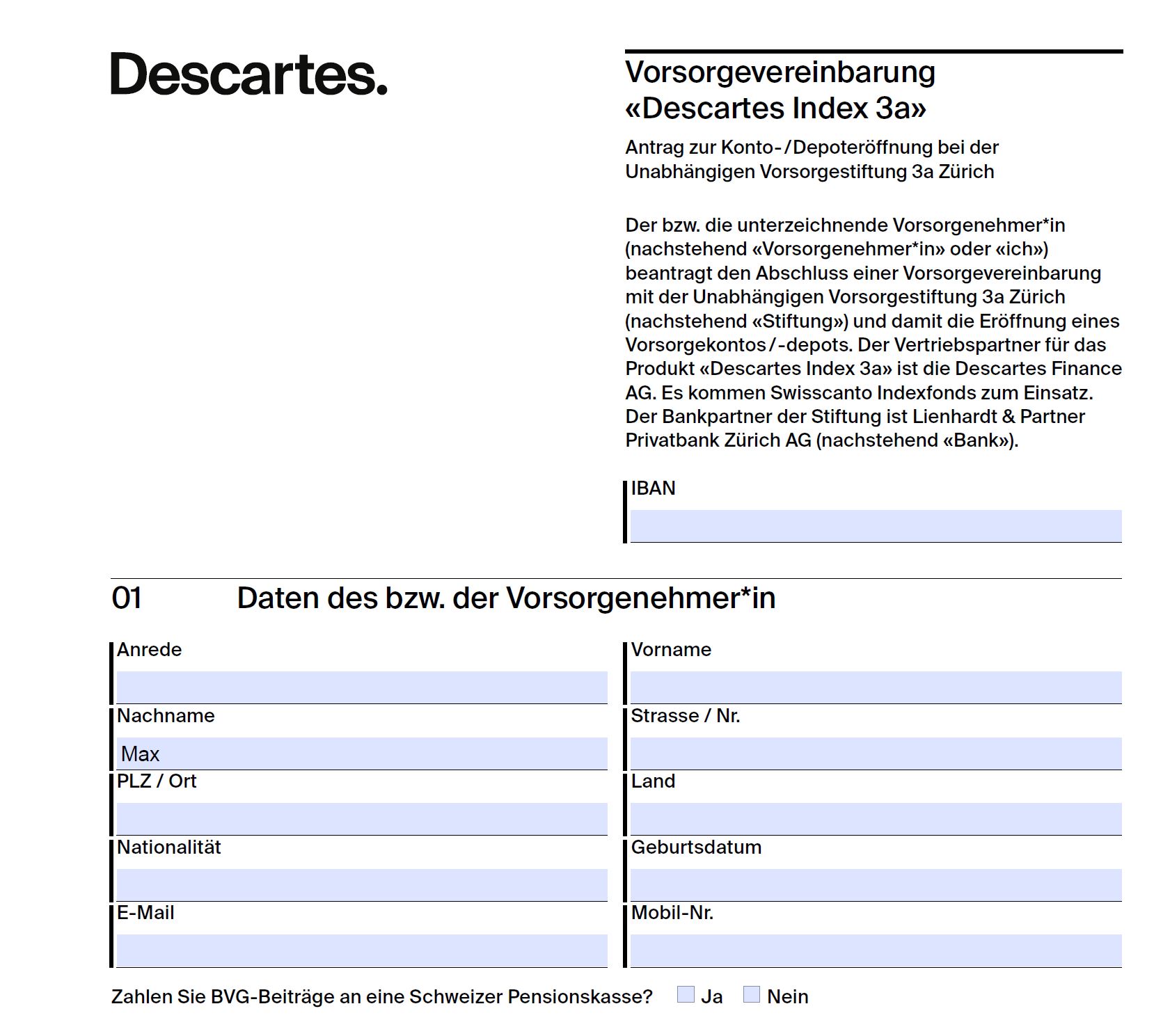
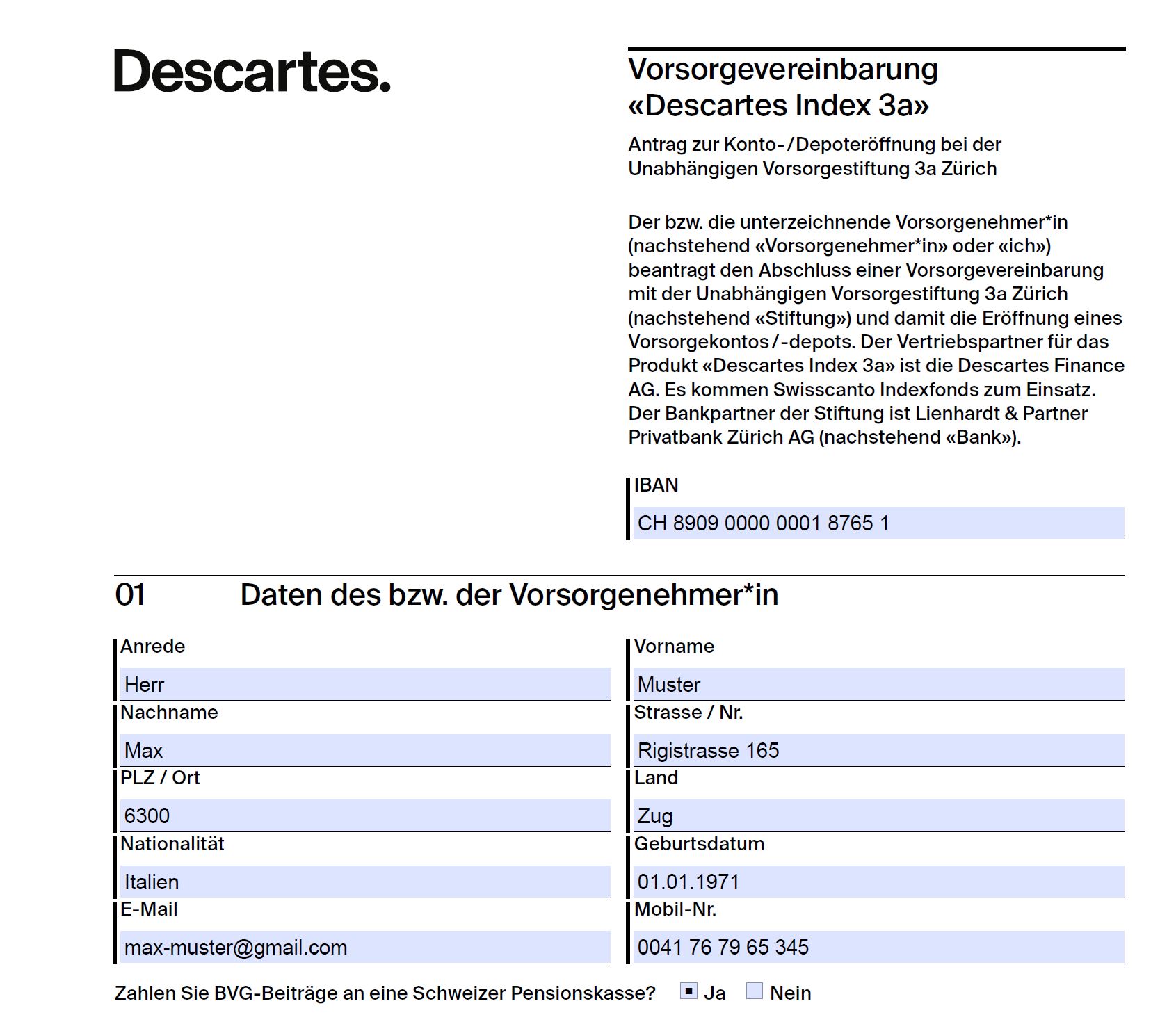
// Optional PDF service: use its configured origin and authorized token.
// contractPath points to the current template approved for this product.
// formFields maps template field names to actual client/portfolio values.
using var pdfClient = new HttpClient
{
    BaseAddress = new Uri(pdfServiceBaseUrl.TrimEnd('/') + "/")
};
pdfClient.DefaultRequestHeaders.Authorization = new AuthenticationHeaderValue("Bearer", pdfServiceToken);
var payload = new
{
    PlaceHolderValues = formFields.Select(x => new { Name = x.Key, Value = x.Value }).ToList()
};
var template = await File.ReadAllBytesAsync(contractPath);
using var content = GuideHttp.CreateMultipartContent(payload, template, "attachments");
using var response = await pdfClient.PostAsync("api/v1/pdf-service/fill-pdf-with-data", content);
response.EnsureSuccessStatusCode();
var pdfContractAsByteArray = await response.Content.ReadAsByteArrayAsync();
// Optional PDF service: formFields contains actual values for its template fields.
JsonArray fields = new JsonArray();
for (Map.Entry<String, String> entry : formFields.entrySet()) {
    JsonObject field = new JsonObject();
    field.addProperty("Name", entry.getKey());
    field.addProperty("Value", entry.getValue());
    fields.add(field);
}
JsonObject payload = new JsonObject();
payload.add("PlaceHolderValues", fields);
byte[] template = Files.readAllBytes(contractPath);
MultiPartBodyPublisher body = new MultiPartBodyPublisher()
    .addPart("jsonPayload", payload.toString())
    .addPart("attachments", () -> new ByteArrayInputStream(template), "Contract.pdf", "application/pdf");
URI pdfUri = URI.create(pdfServiceBaseUrl.replaceAll("/+$", "") + "/api/v1/pdf-service/fill-pdf-with-data");
HttpRequest request = HttpRequest.newBuilder().uri(pdfUri)
    .timeout(Duration.ofMinutes(1))
    .header("Authorization", "Bearer " + pdfServiceToken)
    .header("Content-Type", "multipart/form-data; boundary=" + body.getBoundary())
    .POST(body.build()).build();
var response = httpClient.send(request, BodyHandlers.ofByteArray());
Api.requireSuccess(response);
var pdfAsByteArray = response.body();
// Preserve the filled PDF separately from the input template.
var completedContractPath = Files.createTempFile("wms-contract-", ".pdf");
Files.write(completedContractPath, pdfAsByteArray);
contractPath = completedContractPath;
Submitting the order
Action: Submit the creation order.
Keep / expected result: Keep orderId and portfolioId; inspect the order status next.
var accountHoldingInstitution = await httpClient.GetFromJsonAsync<AccountHoldingInstitutionOutputModel>("api/v1/account-holding-institutions/code/LIENHARDT");
var orderPayload = new
{
    AccountHoldingInstitutionCode = accountHoldingInstitution.Code,
    UserId = userId,
    InvestmentCategoryId = investmentCategory3A.Id,
    ProposalId = proposalSelectedByUser.Id,
    ReasonToChangeProposalResponsesIds = selectedReasonIds,
    // Test adapter: simulate a traded portfolio with populated data.
    Note = "!#PORTFOLIO-TRADED#!"
};
using var content = GuideHttp.CreateMultipartContent(orderPayload, pdfContractAsByteArray);
using var response = await httpClient.PostAsync("api/v1/user-portfolio-orders/creation", content);
response.EnsureSuccessStatusCode();
var order = JsonConvert.DeserializeObject<PortfolioOrderOutputModel>(await response.Content.ReadAsStringAsync());
var orderId = order.Id;
var portfolioId = order.PortfolioId;
// Submitting the order
HttpRequest accountHoldingInstitutionRequest = HttpRequest.newBuilder()
    .timeout(Duration.ofMinutes(1))
    .uri(Settings.wmsUri("account-holding-institutions/code/LIENHARDT"))
    .header("Accept-Language", "de-DE")
    .header("Authorization", "Bearer " + Settings.GUEST_TOKEN)
    .header("Content-Type", "application/json")
    .build();

response = httpClient.send(accountHoldingInstitutionRequest, BodyHandlers.ofString());
Api.requireSuccess(response);
AccountHoldingInstitutionOutputModel accountHoldingInstitutionObj = new Gson().fromJson(response.body(), AccountHoldingInstitutionOutputModel.class);

JsonObject orderPayload = new JsonObject();
orderPayload.addProperty("AccountHoldingInstitutionCode", accountHoldingInstitutionObj.Code);
orderPayload.addProperty("UserId", userId);
orderPayload.addProperty("InvestmentCategoryId", investmentCategoryId);
orderPayload.addProperty("ProposalId", proposalId);
orderPayload.add("ReasonToChangeProposalResponsesIds", new Gson().toJsonTree(selectedReasonIds));
// Test adapter: simulate a traded portfolio with populated data.
orderPayload.addProperty("Note", "!#PORTFOLIO-TRADED#!");

// Read the completed contract, including when the optional PDF service was skipped.
byte[] contractBytes = Files.readAllBytes(contractPath);

MultiPartBodyPublisher multipartOrderBody = new MultiPartBodyPublisher()
    .addPart("jsonPayload", orderPayload.toString())
    .addPart("userContracts", () -> new ByteArrayInputStream(contractBytes), "Contract.pdf", "application/pdf");

HttpRequest createPortfolioRequest = HttpRequest.newBuilder()
    .timeout(Duration.ofMinutes(1))
    .uri(Settings.wmsUri("user-portfolio-orders/creation"))
    .header("Accept-Language", "de-DE")
    .header("Authorization", "Bearer " + accessToken)
    .header("Content-Type", "multipart/form-data; boundary=" + multipartOrderBody.getBoundary())
    .POST(multipartOrderBody.build())
    .build();

response = httpClient.send(createPortfolioRequest, BodyHandlers.ofString());
Api.requireSuccess(response);

PortfolioOrderOutputModel orderObj = new Gson().fromJson(response.body(), PortfolioOrderOutputModel.class);
var orderId = orderObj.Id;
var portfolioId = orderObj.PortfolioId;
Track the order
Action: Read the recorded order and resolve its OrderStatusId against the status reference list.
Keep / expected result: Use the returned status to decide whether to wait or show a result; the numeric ID has no universal meaning in this guide.
var currentOrder = await httpClient.GetFromJsonAsync<PortfolioOrderOutputModel>($"api/v1/user-portfolio-orders/order-id/{orderId}");
HttpRequest request = HttpRequest.newBuilder()
    .uri(Settings.wmsUri("user-portfolio-orders/order-id/" + orderId))
    .header("Authorization", "Bearer " + accessToken).GET().build();
var response = httpClient.send(request, BodyHandlers.ofString());
Api.requireSuccess(response);
PortfolioOrderOutputModel currentOrder = new Gson().fromJson(response.body(), PortfolioOrderOutputModel.class);
Recognize the result
Illustrative order response projection. IDs are examples; resolve the actual status using the order-status reference list. HTTP success confirms receipt, while later status reports processing.
{"id":456,"portfolioId":789,"orderStatusId":1}The DTO catalog contains the remaining response properties. A failed request must be handled before advancing to the next step; see Error handling.