Notifications
How to follow this chapter
Inputs: Existing SUPERADMIN credentials and the controlled callback URL.
Steps and expected result: Create or identify the administrative recipient, then submit the complete desired notification selection. This flow uses adminUserId rather than the client journey userId.
Alternative or later actions: This is an optional administrative integration. Subscribe replaces the selection; retain every event you still want enabled.
DTO source: AdminOutputModel, SystemOccurrenceOutputModel, SystemOccurrencePreferenceInputModel
Variables assigned in an earlier block are reused by later blocks. Client-entered values come from your UI; keep identifiers and lookup results in the current client context. Do not create a fresh context between steps.
The snippets use shared helper classes. See Shared helper classes: complete C# and Java source before copying an example.
Before you start: A configured HTTP client and existing SUPERADMIN credentials for creating the recipient. Set callbackUrl to your controlled callback; name, surname, email and phone values identify the administrative recipient.
Keep for the next step: Notification preferences for adminUserId. Creating an administrator does not return an administrative access token.
The WMS2 Notification microservice can provide notifications about system occurrences, such as creating a plan, changing a plan, changing client data, and more.
Notifications can be sent as:
Notifications can be sent as:
- SMS
- HTTP-based call-back
These notifications are sent to SELLER, ADMIN or SUPER ADMIN users.
Subscription
In this example, an existing SUPERADMIN creates an ADMIN recipient and configures that recipient's PORTFOLIO-ORDER-SUBMISSION-DELIVERED notification. Both management requests use the existing SUPERADMIN token; the recipient does not receive a new access token from the creation request.
This example is about the HTTP-based call-back (also known as webhook) for system occurrence notification.
The webhook address is defined for each user: just as a user has his own e-mail address and mobile number, a user also has his own URL for the HTTP call-back.
The full list of system occurrence codes is available by consulting the API endpoint api/v1/system-occurrence.
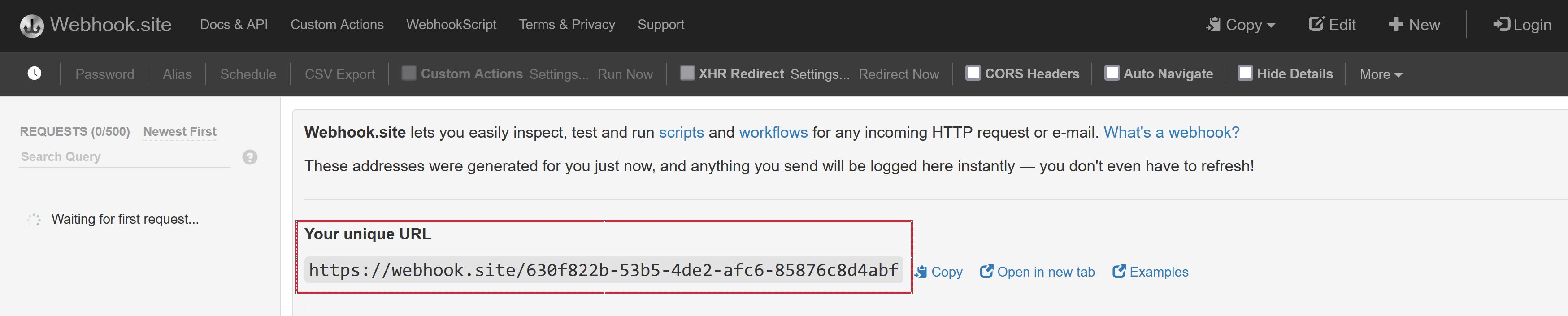
For an isolated test with fictitious data, you can use webhook.site. Opening webhook.site will display a page with a unique URL: this URL will be used for our callback:
Create the ADMIN recipient, then register callbackUrl through POST api/v1/users/webhook-url/user-id/{adminUserId}/no-authentication with a JSON Url property. This example selects no authentication for outgoing callbacks; use the dedicated api-key or bearer-jwt route when your receiver requires it.
To create an ADMIN user, a SUPER ADMIN token is required:
var createAdminPayload = new
{
    Name = name,
    Surname = surname,
    Email = email,
    PhoneNumberPrefix = phoneNumberPrefix,
    PhoneNumberNumber = phoneNumberNumber,
    GenderId = genderId,
    LanguageId = languageId
};
// Creating an ADMIN user requires an existing SUPERADMIN token.
httpClient.DefaultRequestHeaders.Authorization = new AuthenticationHeaderValue("Bearer", superAdminToken);
using var response = await httpClient.PostAsync("api/v1/users/admins",
    new StringContent(JsonConvert.SerializeObject(createAdminPayload), Encoding.UTF8, "application/json"));
response.EnsureSuccessStatusCode();
var admin = JsonConvert.DeserializeObject<AdminOutputModel>(await response.Content.ReadAsStringAsync());
var adminUserId = admin.Id;
// Configure the callback separately; creating the admin does not persist a webhook URL.
// This example selects an outgoing callback without authentication.
var callbackPayload = JsonConvert.SerializeObject(new { Url = callbackUrl });
using var callbackResponse = await httpClient.PostAsync(
    $"api/v1/users/webhook-url/user-id/{adminUserId}/no-authentication",
    new StringContent(callbackPayload, Encoding.UTF8, "application/json"));
callbackResponse.EnsureSuccessStatusCode();
JsonObject payload = new JsonObject();
payload.addProperty("Name", name);
payload.addProperty("Surname", surname);
payload.addProperty("Email", email);
payload.addProperty("PhoneNumberPrefix", phoneNumberPrefix);
payload.addProperty("PhoneNumberNumber", phoneNumberNumber);
payload.addProperty("GenderId", genderId);
payload.addProperty("LanguageId", languageId);
HttpRequest request = HttpRequest.newBuilder()
    .uri(Settings.wmsUri("users/admins"))
    .timeout(Duration.ofMinutes(1))
    .header("Authorization", "Bearer " + Settings.SUPERADMIN_TOKEN)
    .header("Content-Type", "application/json")
    .POST(HttpRequest.BodyPublishers.ofString(payload.toString())).build();
var response = httpClient.send(request, BodyHandlers.ofString());
Api.requireSuccess(response);
AdminOutputModel admin = new Gson().fromJson(response.body(), AdminOutputModel.class);
var adminUserId = admin.Id;
// Configure the callback separately; this example uses no outgoing authentication.
JsonObject callbackPayload = new JsonObject();
callbackPayload.addProperty("Url", callbackUrl);
HttpRequest callbackRequest = HttpRequest.newBuilder()
    .uri(Settings.wmsUri("users/webhook-url/user-id/" + adminUserId + "/no-authentication"))
    .timeout(Duration.ofMinutes(1))
    .header("Authorization", "Bearer " + Settings.SUPERADMIN_TOKEN)
    .header("Content-Type", "application/json")
    .POST(HttpRequest.BodyPublishers.ofString(callbackPayload.toString())).build();
var callbackResponse = httpClient.send(callbackRequest, BodyHandlers.ofString());
Api.requireSuccess(callbackResponse);
The next step configures notification preferences for the returned adminUserId. The caller must be authorized to manage that recipient. As mentioned above, we are interested in HTTP call-back notification:
// Use a token authorized to manage adminUserId, such as superAdminToken.
httpClient.DefaultRequestHeaders.Authorization = new AuthenticationHeaderValue("Bearer", superAdminToken);
var systemOccurrences = await httpClient.GetFromJsonAsync<List<SystemOccurrenceOutputModel>>("api/v1/system-occurrence");

  // Get PORTFOLIO-ORDER-SUBMISSION-DELIVERED system notification ID
  var systemOccurrenceId = systemOccurrences.First(x => x.Code == "PORTFOLIO-ORDER-SUBMISSION-DELIVERED").Id;

  var selectedSystemNotifications = new List<SystemOccurrencePreferenceInputModel>();
  selectedSystemNotifications.Add(new SystemOccurrencePreferenceInputModel
  {
	Id = systemOccurrenceId,
	IsEmailEnabled = false,
	IsHttpEnabled = true,	// HTTP callback
	IsSmsEnabled = false
  });

  var payLoadAsString = JsonConvert.SerializeObject(selectedSystemNotifications);
  using var response = await httpClient.PostAsync($"api/v1/system-occurrence/user/{adminUserId}",
    new StringContent(payLoadAsString, Encoding.UTF8, "application/json"));
response.EnsureSuccessStatusCode();
HttpRequest eventsRequest = HttpRequest.newBuilder()
    .uri(Settings.wmsUri("system-occurrence"))
    .timeout(Duration.ofMinutes(1))
    .header("Authorization", "Bearer " + Settings.SUPERADMIN_TOKEN).GET().build();
var eventsResponse = httpClient.send(eventsRequest, BodyHandlers.ofString());
Api.requireSuccess(eventsResponse);
Type eventListType = new TypeToken<List<SystemOccurrenceOutputModel>>() {}.getType();
List<SystemOccurrenceOutputModel> events = new Gson().fromJson(eventsResponse.body(), eventListType);
var event = events.stream()
    .filter(x -> "PORTFOLIO-ORDER-SUBMISSION-DELIVERED".equals(x.Code))
    .findFirst().orElseThrow(() -> new IllegalStateException("Event unavailable in this environment"));
JsonObject preference = new JsonObject();
preference.addProperty("Id", event.Id);
preference.addProperty("IsEmailEnabled", false);
preference.addProperty("IsSmsEnabled", false);
preference.addProperty("IsHttpEnabled", true);
JsonArray preferences = new JsonArray();
preferences.add(preference);
HttpRequest subscriptionRequest = HttpRequest.newBuilder()
    .uri(Settings.wmsUri("system-occurrence/user/" + adminUserId))
    .timeout(Duration.ofMinutes(1))
    .header("Authorization", "Bearer " + Settings.SUPERADMIN_TOKEN)
    .header("Content-Type", "application/json")
    .POST(HttpRequest.BodyPublishers.ofString(preferences.toString())).build();
var subscriptionResponse = httpClient.send(subscriptionRequest, BodyHandlers.ofString());
Api.requireSuccess(subscriptionResponse);
The preferences replace the complete existing selection: omitted events are disabled. Read and include any preferences that you want to keep. An empty list disables all event notifications. This example subscribes to successful delivery of the portfolio order. Delivery to the custody institution is a later event than the API accepting the request. Available events and channels depend on the installed notification service and environment.
To test, create a new client by following the Client Registration procedure and submit a plan creation request.
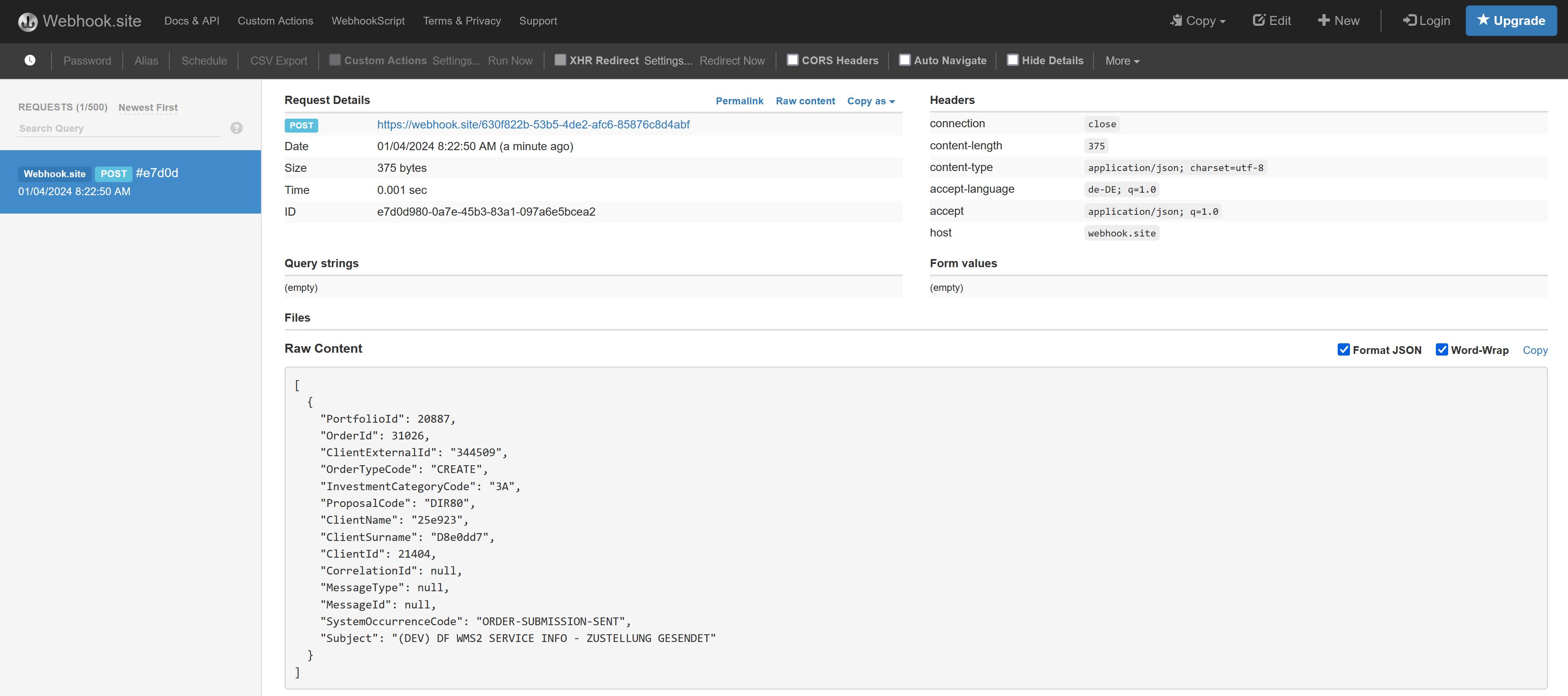
The following image illustrates a callback received after the subscribed event: