Notifiche
Come seguire questo capitolo
Dati richiesti: Credenziali SUPERADMIN esistenti e URL di callback sotto il tuo controllo.
Passaggi e risultato atteso: Crea o identifica il destinatario amministrativo, quindi invia la selezione completa delle notifiche. adminUserId identifica qui il destinatario, separatamente dal userId del percorso cliente.
Alternative e operazioni successive: Integrazione amministrativa opzionale. Subscribe sostituisce la selezione; includi tutti gli eventi che vuoi mantenere.
Codice sorgente dei DTO: AdminOutputModel, SystemOccurrenceOutputModel, SystemOccurrencePreferenceInputModel
Le variabili assegnate in un blocco precedente vengono riutilizzate nei successivi. I dati inseriti dal cliente provengono dalla tua interfaccia. Conserva identificativi e valori di riferimento nel contesto del cliente; non ricreare il contesto a ogni passaggio.
Le notifiche possono essere inviate tramite:
- SMS
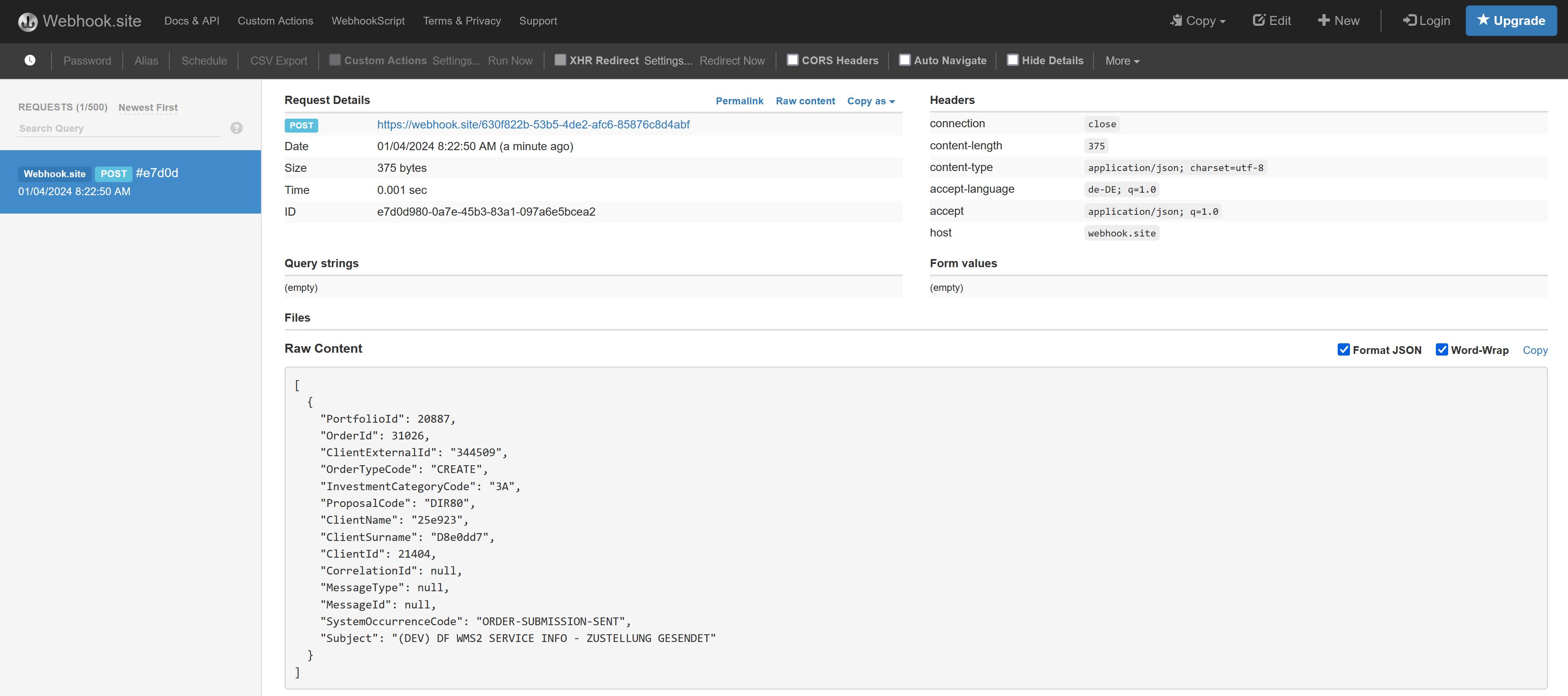
- Callback HTTP
Iscrizione
var createAdminPayload = new
{
    Name = name,
    Surname = surname,
    Email = email,
    PhoneNumberPrefix = phoneNumberPrefix,
    PhoneNumberNumber = phoneNumberNumber,
    GenderId = genderId,
    LanguageId = languageId
};
// Creating an ADMIN user requires an existing SUPERADMIN token.
httpClient.DefaultRequestHeaders.Authorization = new AuthenticationHeaderValue("Bearer", superAdminToken);
using var response = await httpClient.PostAsync("api/v1/users/admins",
    new StringContent(JsonConvert.SerializeObject(createAdminPayload), Encoding.UTF8, "application/json"));
response.EnsureSuccessStatusCode();
var admin = JsonConvert.DeserializeObject<AdminOutputModel>(await response.Content.ReadAsStringAsync());
var adminUserId = admin.Id;
// Configure the callback separately; creating the admin does not persist a webhook URL.
// This example selects an outgoing callback without authentication.
var callbackPayload = JsonConvert.SerializeObject(new { Url = callbackUrl });
using var callbackResponse = await httpClient.PostAsync(
    $"api/v1/users/webhook-url/user-id/{adminUserId}/no-authentication",
    new StringContent(callbackPayload, Encoding.UTF8, "application/json"));
callbackResponse.EnsureSuccessStatusCode();
JsonObject payload = new JsonObject();
payload.addProperty("Name", name);
payload.addProperty("Surname", surname);
payload.addProperty("Email", email);
payload.addProperty("PhoneNumberPrefix", phoneNumberPrefix);
payload.addProperty("PhoneNumberNumber", phoneNumberNumber);
payload.addProperty("GenderId", genderId);
payload.addProperty("LanguageId", languageId);
HttpRequest request = HttpRequest.newBuilder()
    .uri(Settings.wmsUri("users/admins"))
    .timeout(Duration.ofMinutes(1))
    .header("Authorization", "Bearer " + Settings.SUPERADMIN_TOKEN)
    .header("Content-Type", "application/json")
    .POST(HttpRequest.BodyPublishers.ofString(payload.toString())).build();
var response = httpClient.send(request, BodyHandlers.ofString());
Api.requireSuccess(response);
AdminOutputModel admin = new Gson().fromJson(response.body(), AdminOutputModel.class);
var adminUserId = admin.Id;
// Configure the callback separately; this example uses no outgoing authentication.
JsonObject callbackPayload = new JsonObject();
callbackPayload.addProperty("Url", callbackUrl);
HttpRequest callbackRequest = HttpRequest.newBuilder()
    .uri(Settings.wmsUri("users/webhook-url/user-id/" + adminUserId + "/no-authentication"))
    .timeout(Duration.ofMinutes(1))
    .header("Authorization", "Bearer " + Settings.SUPERADMIN_TOKEN)
    .header("Content-Type", "application/json")
    .POST(HttpRequest.BodyPublishers.ofString(callbackPayload.toString())).build();
var callbackResponse = httpClient.send(callbackRequest, BodyHandlers.ofString());
Api.requireSuccess(callbackResponse);
// Use a token authorized to manage adminUserId, such as superAdminToken.
httpClient.DefaultRequestHeaders.Authorization = new AuthenticationHeaderValue("Bearer", superAdminToken);
var systemOccurrences = await httpClient.GetFromJsonAsync<List<SystemOccurrenceOutputModel>>("api/v1/system-occurrence");

  // Get PORTFOLIO-ORDER-SUBMISSION-DELIVERED system notification ID
  var systemOccurrenceId = systemOccurrences.First(x => x.Code == "PORTFOLIO-ORDER-SUBMISSION-DELIVERED").Id;

  var selectedSystemNotifications = new List<SystemOccurrencePreferenceInputModel>();
  selectedSystemNotifications.Add(new SystemOccurrencePreferenceInputModel
  {
	Id = systemOccurrenceId,
	IsEmailEnabled = false,
	IsHttpEnabled = true,	// HTTP callback
	IsSmsEnabled = false
  });

  var payLoadAsString = JsonConvert.SerializeObject(selectedSystemNotifications);
  using var response = await httpClient.PostAsync($"api/v1/system-occurrence/user/{adminUserId}",
    new StringContent(payLoadAsString, Encoding.UTF8, "application/json"));
response.EnsureSuccessStatusCode();
HttpRequest eventsRequest = HttpRequest.newBuilder()
    .uri(Settings.wmsUri("system-occurrence"))
    .timeout(Duration.ofMinutes(1))
    .header("Authorization", "Bearer " + Settings.SUPERADMIN_TOKEN).GET().build();
var eventsResponse = httpClient.send(eventsRequest, BodyHandlers.ofString());
Api.requireSuccess(eventsResponse);
Type eventListType = new TypeToken<List<SystemOccurrenceOutputModel>>() {}.getType();
List<SystemOccurrenceOutputModel> events = new Gson().fromJson(eventsResponse.body(), eventListType);
var event = events.stream()
    .filter(x -> "PORTFOLIO-ORDER-SUBMISSION-DELIVERED".equals(x.Code))
    .findFirst().orElseThrow(() -> new IllegalStateException("Event unavailable in this environment"));
JsonObject preference = new JsonObject();
preference.addProperty("Id", event.Id);
preference.addProperty("IsEmailEnabled", false);
preference.addProperty("IsSmsEnabled", false);
preference.addProperty("IsHttpEnabled", true);
JsonArray preferences = new JsonArray();
preferences.add(preference);
HttpRequest subscriptionRequest = HttpRequest.newBuilder()
    .uri(Settings.wmsUri("system-occurrence/user/" + adminUserId))
    .timeout(Duration.ofMinutes(1))
    .header("Authorization", "Bearer " + Settings.SUPERADMIN_TOKEN)
    .header("Content-Type", "application/json")
    .POST(HttpRequest.BodyPublishers.ofString(preferences.toString())).build();
var subscriptionResponse = httpClient.send(subscriptionRequest, BodyHandlers.ofString());
Api.requireSuccess(subscriptionResponse);